Features
Everything you need to find and land better Upwork jobs — built into a lightweight, privacy-first Chrome extension.
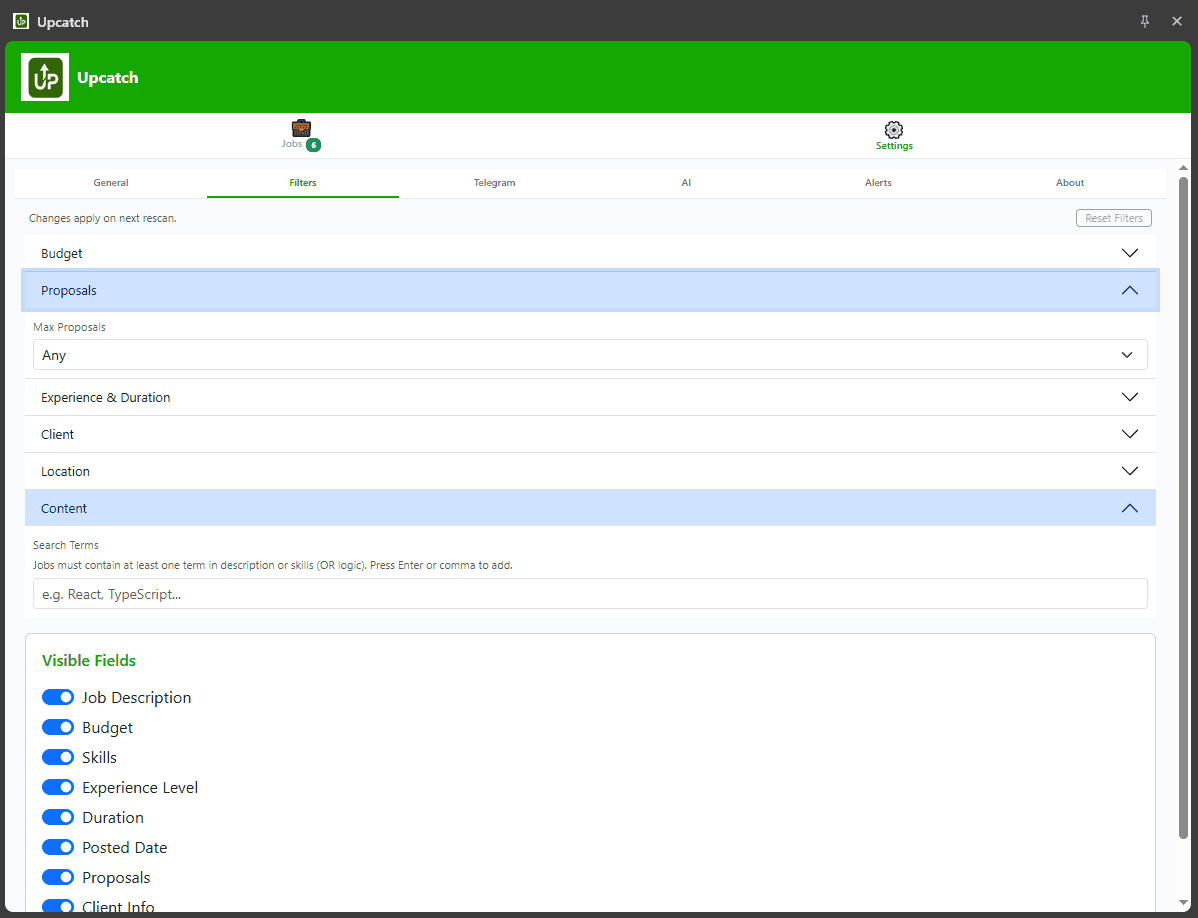
Smart Job Filters
Stop scrolling through hundreds of irrelevant posts. Upcatch lets you define exactly what you're looking for — and hides everything else.
- Filter by keywords to match your niche
- Set minimum and maximum budget thresholds
- Filter by country or location to find work in your preferred region
- Filter by number of proposals and client rating
AI Cover Letter Prompts
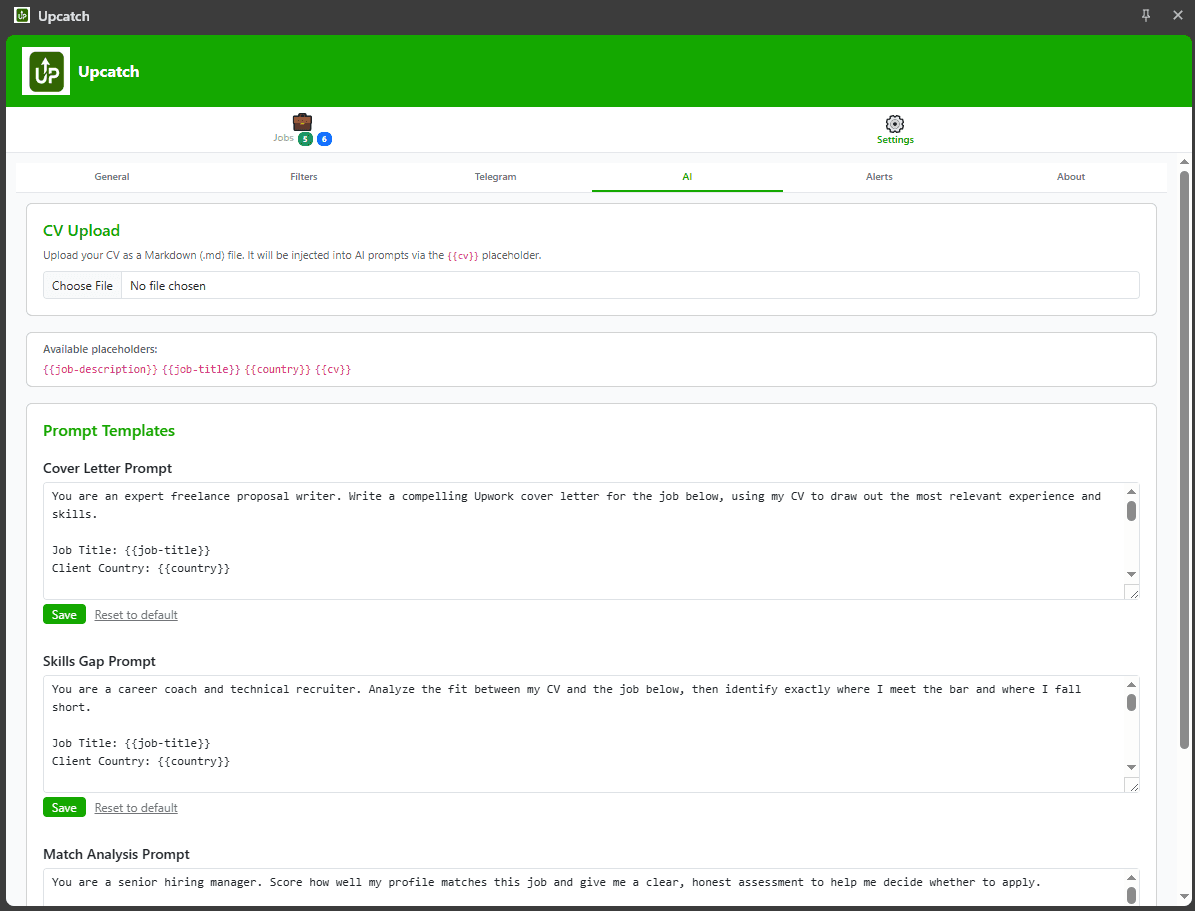
Write compelling proposals faster. Upcatch reads the job details already on your screen and crafts a ready-to-use AI prompt — one click away.
- Prompts pre-seeded with job title, budget, and description
- Prompts work with ChatGPT, Claude, or any AI assistant
- Saves the boilerplate so you focus on personalisation
- Consistent proposal quality across every application
Telegram Notifications
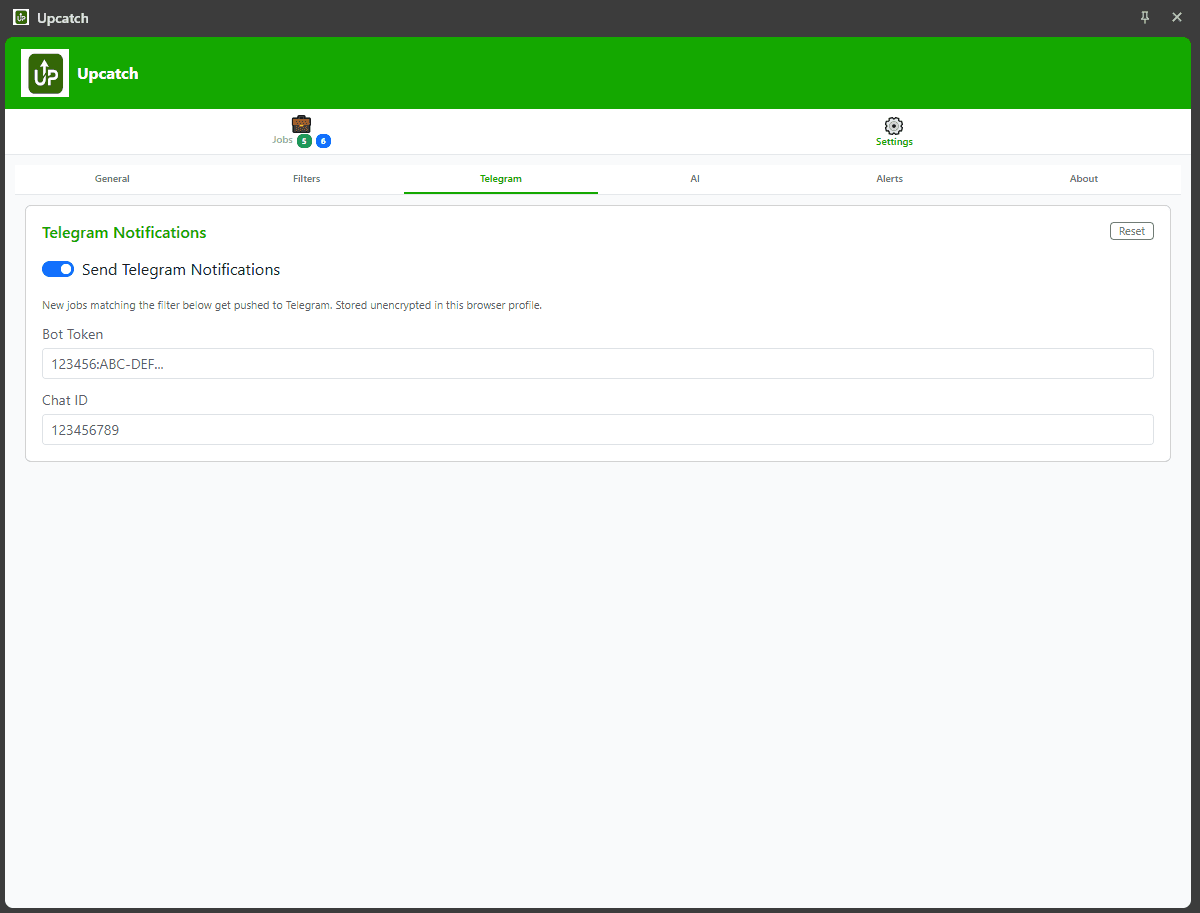
Never miss a hot lead. Upcatch pushes matching job alerts to your Telegram account the moment they appear on Upwork.
- Real-time alerts without keeping Upwork open
- Alerts include job title, budget, and a direct link
- Works on mobile so you can apply on the go
- Easy setup with a single Telegram Bot token
- Click the alert message to jump straight to the job posting
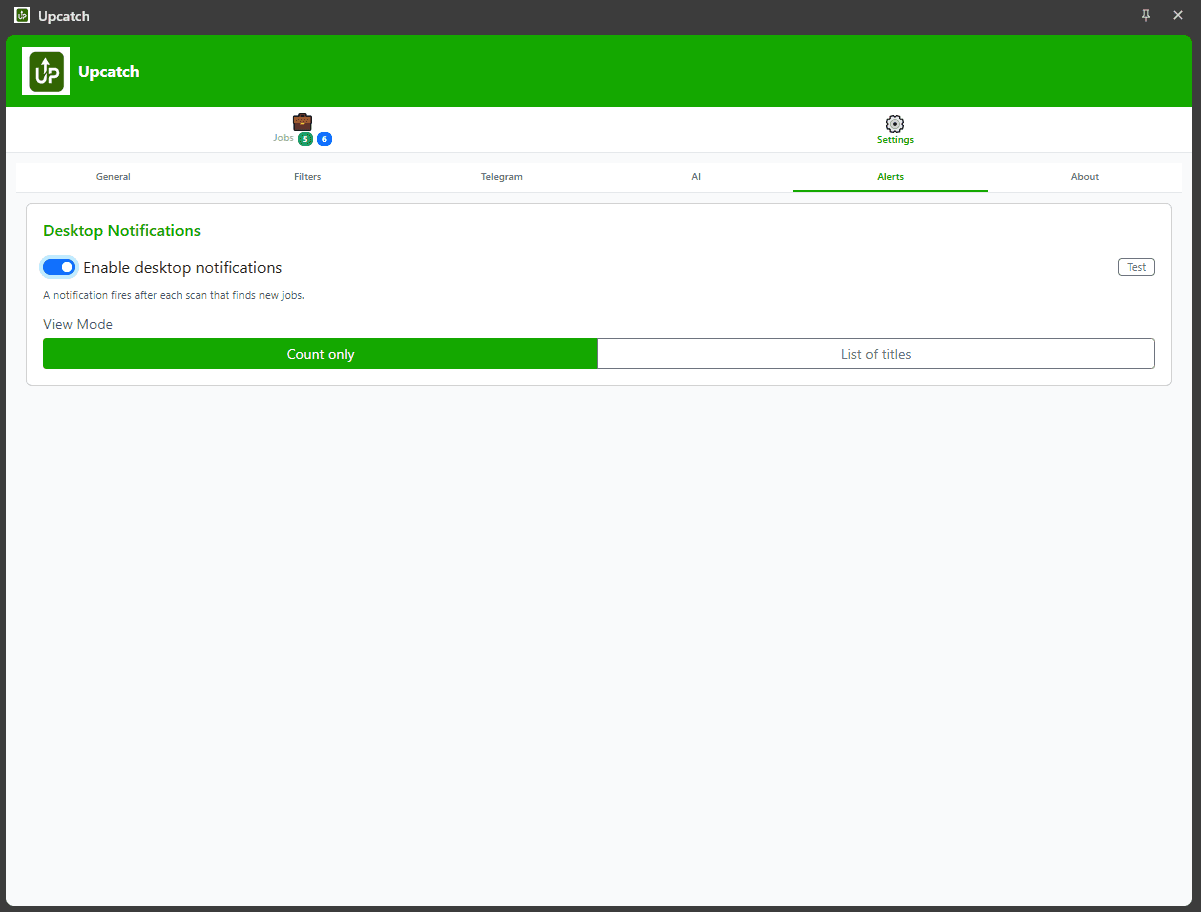
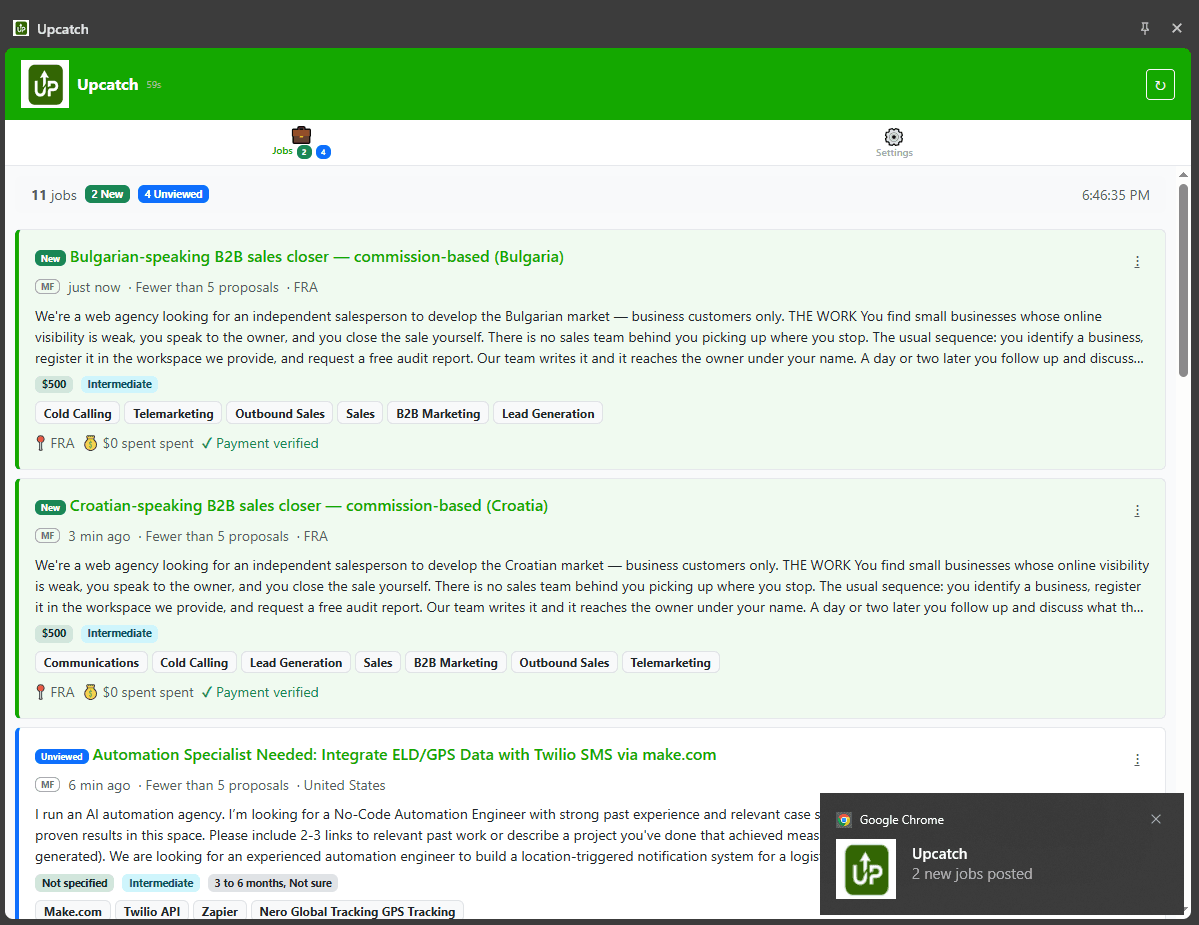
Desktop Notifications
Get instant browser alerts for matching jobs without any extra setup. Upcatch triggers native desktop notifications the moment a new matching job appears on your Upwork feed.
- Instant alerts delivered by your browser — no extra apps needed
- Notifications appear even when Upwork is in a background tab
- Works alongside Telegram alerts or as a standalone option
No Sign-up Required
Upcatch runs entirely inside your browser. There is no account to create and no data leaving your machine.
- Install from the Chrome Web Store and start immediately
- All processing happens locally in your browser
- No personal data collected or transmitted
- No account or sign-up needed — install and start immediately